Introduction
Welcome to the Connect, Build and Share course for engineers who work in the Istari Digital web app.
This first module gets your engineering data onto the Istari Digital Platform as Resources, so it can be versioned, shared, and used by jobs.
You’ll learn to:
- Upload engineering files and preview them: 3D models, PDFs, HTML, and text
- Find and manage Resources: filter, rename, download, and archive
- Copy a Resource ID and a Revision ID to point at the exact data
- Connect a file from a third-party app with your own linked account
- Add a version to a Resource and compare two revisions
The module has three lessons, each ending with a hands-on lab. It takes about 75 minutes.
Before you start
- An Istari Digital web app account with the Editor role or higher.
- For Lab 2, an app integration set up by your administrator. Ask which integrations your organization has. If there are none, read Lab 2 and skip the steps.
- The sample files: LabQuadcopter.zip.
Our sample: the Lab Quadcopter
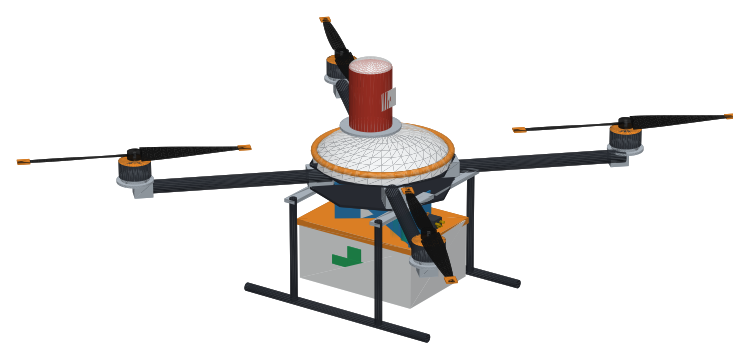
The Lab Quadcopter is a small drone that carries up to 2 kg of blood samples from a clinic to the hospital lab and back, a 32 km round trip.
The Drones team looks after the drone’s System. Other teams look after its parts: the arms, the battery, and the flight computer.
Version 1.0.0 lands with 17% battery left, and the rule is at least 20%. The course follows how the team fixes it. In this module you register the drone’s files as Resources.